🎛️ For macOS · Apple Silicon M1–M5 · new in 2.0

Your MacBook keeps running.
Even with the lid closed.
And stays cool doing it.

Helmlet keeps your Mac awake, even with the lid shut and no external monitor. Uploads, exports, servers keep going while the fans keep it cool. Plus smart cooling, live temperature and app automation, all from the menu bar and without the Terminal.

Pay once, use forever · no subscription · free updates

Notarized by Apple 100% local, no tracking Installed in seconds
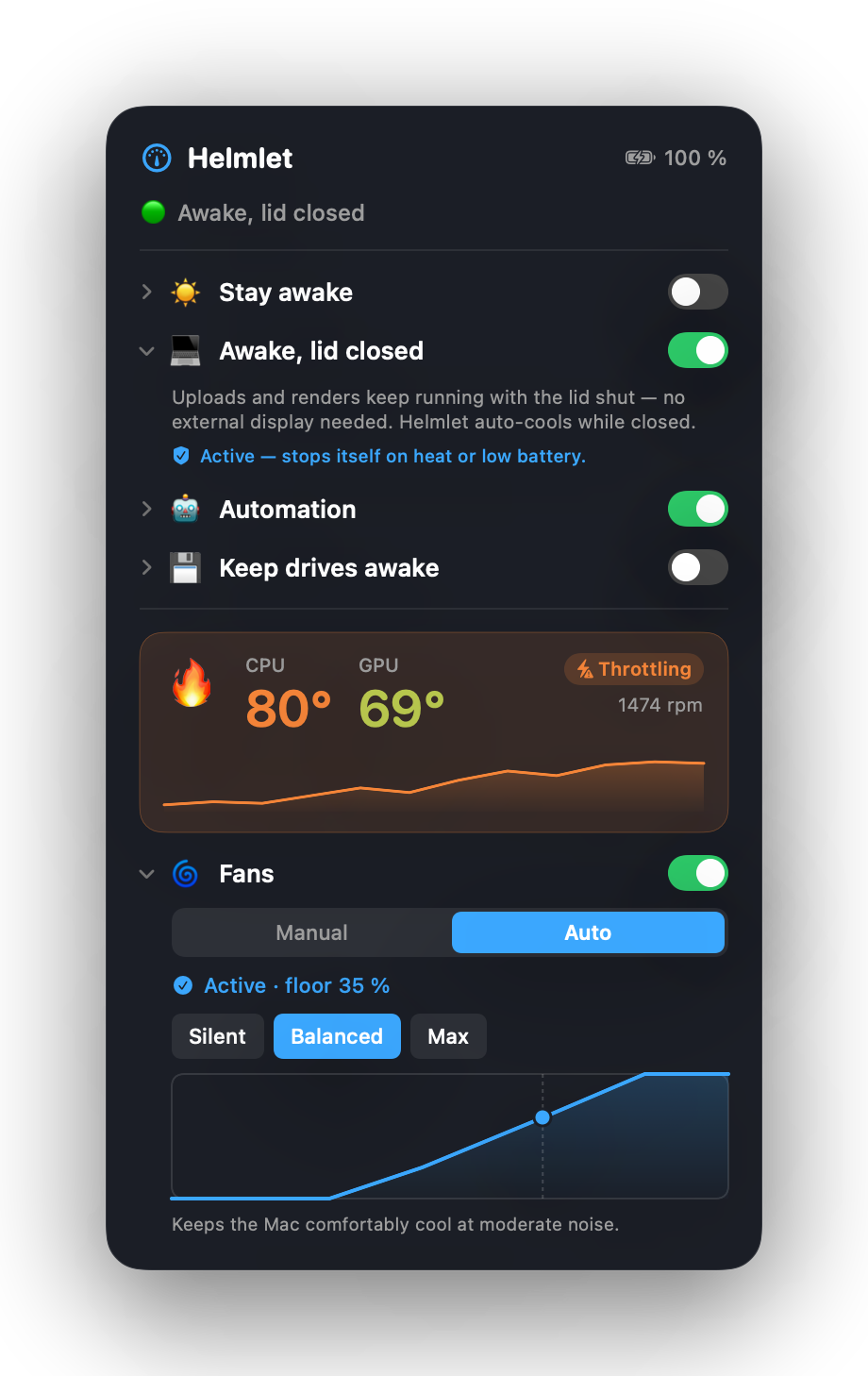
Helmlet in the menu bar: closed-lid keep-awake switch, live cockpit with CPU and GPU temperature and a smart cooling fan curve
🍎 Apple-notarized Native to Apple Silicon 🔒 No account & no cloud 🇩🇪 Made in Germany

Sound familiar?

Close the lid and it's lights out.

The most useful things are the ones macOS makes needlessly hard, or blocks entirely.

💤

Lid shut, Mac asleep

You close it to free up some space and the upload drops, the render stalls. Without an external monitor, Apple won't let it run.

🔥

Fans too late, chip cooking

Apple lets the fans spin up late. You only hear them once it's long been hot, and with the lid shut the heat builds up even more.

⌨️

Two tools instead of one

One to stay awake, one for the fans, plus cryptic Terminal commands, and none of them cares about the heat.

The highlight

Keep working with the lid closed.

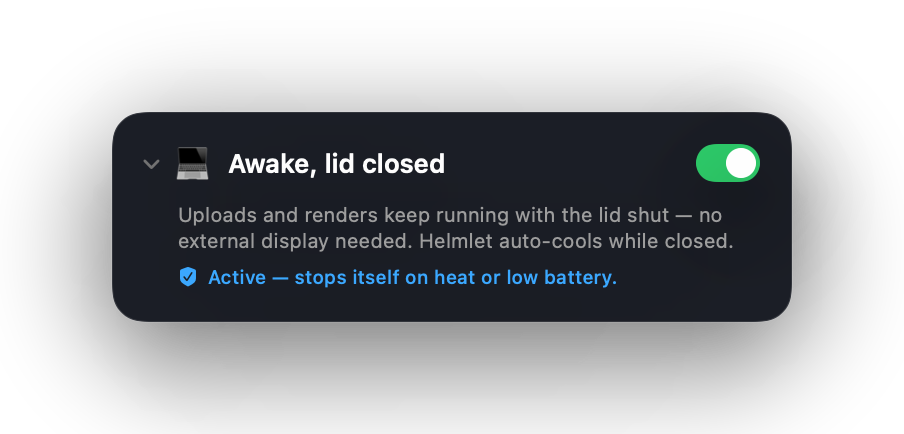
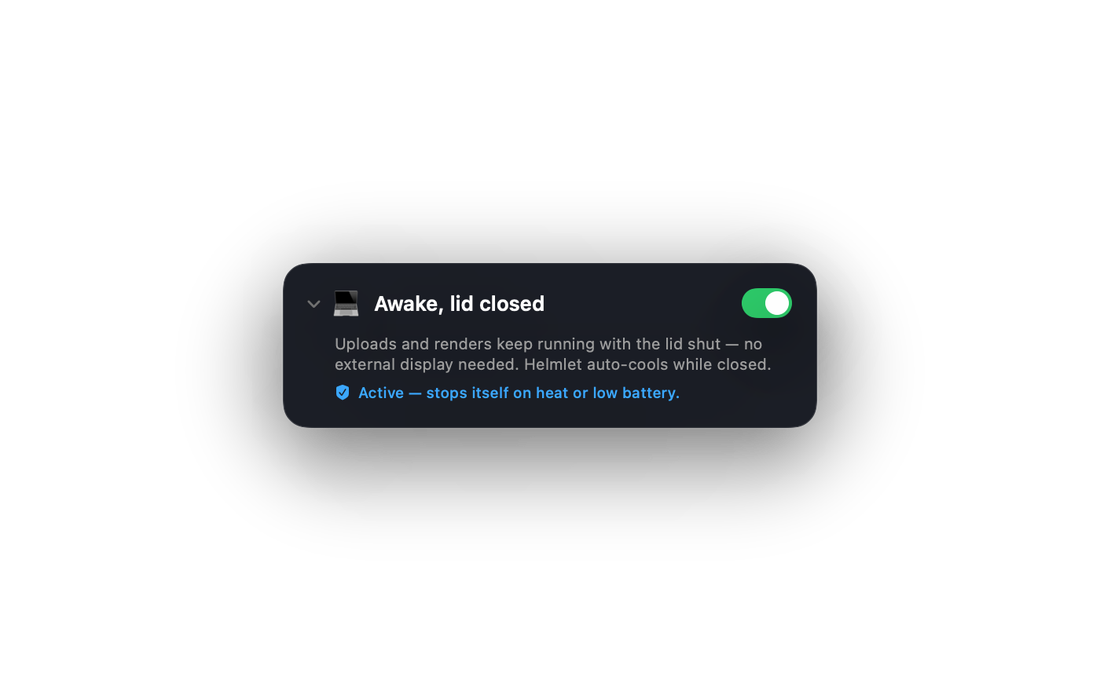
Flip the switch, close the lid, done. Your MacBook keeps running, even without an external monitor and on battery. The long export, the overnight upload, the little server, all of it keeps going while you simply set the Mac aside.

  • No external monitor needed. Works on battery alone.
  • Stays cool. Helmlet spins the fans up so no heat builds up under the closed lid, nothing else can do that.
  • Shuts off on its own. If it gets too hot or the battery drops below 15%, Helmlet ends the mode automatically and lets the Mac sleep.
  • Internal screen sleeps. Spares the display and saves power.
Buy Helmlet · €3.99
Helmlet: the Keep awake with lid closed switch is active, the Mac keeps running with the lid shut and is cooled automatically

And there's more

One control panel. Four levers.

Helmlet puts the controls that matter right in your menu bar: clear, safe, instant.

🌀

Smart cooling

Automatic fan curves instead of a fixed speed. Pick a profile and the Mac runs as cool as you want, instead of only getting audible once it's already hot.

  • Profiles: Quiet, Balanced, Max
  • Fans follow the temperature live
  • Or manually by slider, 0–100%
🌡️

Live cockpit

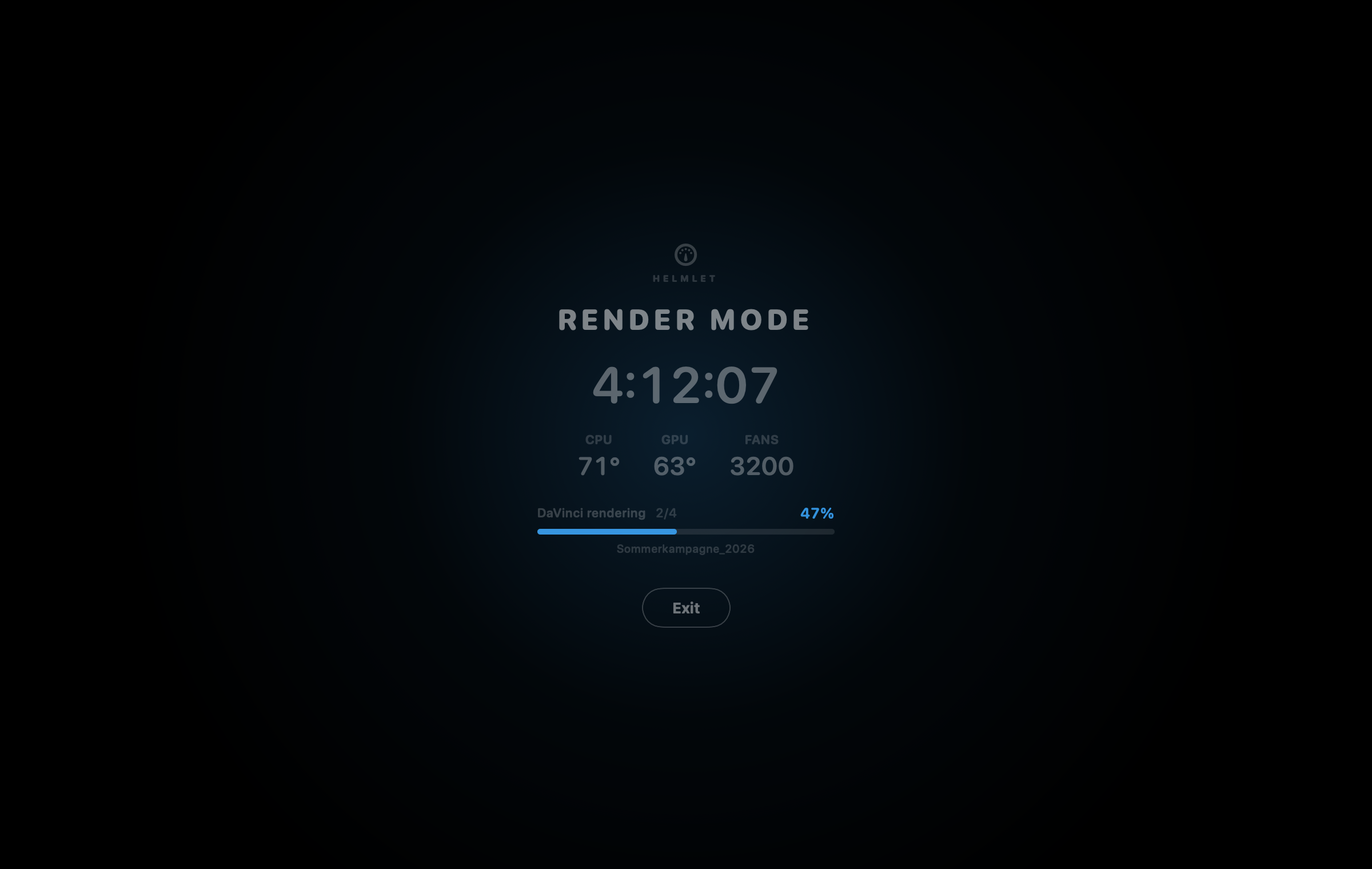
CPU and GPU temperature in real time, with a history curve and a warning the moment macOS throttles. One glance is enough.

  • CPU & GPU side by side
  • Mini history of the last few minutes
  • Throttling warning straight from the Mac sensor
🤖

App automation

Set it once: "While Final Cut is running, stay awake and cool on Max." Helmlet reacts on its own, you never have to think about it.

  • Stay awake while an app is running
  • Optionally with a cooling profile per app
  • Also: on power, with an external monitor
☀️

Stay awake

Keeps the system, display or network awake, with a timer. No more dropped download or a dark screen at the worst moment.

  • Three independent switches
  • Timer from 1 h to 24 h, or your own end time
  • Clean Apple mechanics instead of Terminal
  • Keeps external drives awake too

A look inside

This is Helmlet.

A tidy control panel in the menu bar, every feature exactly one click away.

Why Helmlet

The one tool that does both.

Keep-awake apps can't control fans. Fan tools can't keep you awake. Helmlet does both, and brings them together safely.

 HelmletKeep-awake appsFan tools
Run with the lid closed
Control fans & curves
Auto-cool with the lid closed✓ unique
Auto-shutdown on heatrarely
Live CPU & GPU temperature
Everything in one appkeep-awake onlyfans only
Price€3.99 one-timefree–€10€15–30

Under the hood

Built clean, not a hack.

Helmlet uses the official macOS interfaces, nothing that breaks with the next update.

1

Official power management

Staying awake and closed-lid mode run through Apple's own power mechanics, no kernel hack, no system extension.

2

Signed helper

A tiny, secured background service controls the fans and closed-lid mode. Password once during install, then never again.

3

Heat & battery protection

In closed-lid mode it watches temperature and battery continuously. If things get dicey, Helmlet shuts off on its own and lets the Mac sleep.

4

Safety watchdog

Should the app ever crash, the background service hands fans and sleep back to macOS within seconds. Your Mac never gets stuck.

Who it's for

Made for your workflow.

🎬

Creatives & editors

Export overnight, lid shut, the Mac runs cool through it instead of dozing off or cooking.

💻

Developers

Builds, a little server, long tasks, even with the lid closed and no Terminal commands.

⬇️

Downloaders

Finish big transfers safely without the network and system going to sleep.

🎮

Gamers

Fans on Max before you start playing, instead of hearing it get hot at 95 °C.

🛡️

Safety first

Your Mac is always protected.

The fan slider is a minimum, not a cap. You can only cool better, never worse, especially in closed-lid mode.

Heat-protection curve that ramps earlyFrom around 72 °C Helmlet ramps up, at 95 °C it runs full cooling, regardless of your setting.
Real heat: back to macOSIn the critical range Helmlet hands full control to Apple's thermal management.
Closed lid: auto-shutdownIf it gets too hot or the battery drops below 15%, Helmlet ends the mode automatically and tells you.
Crash-safe watchdogIf the app crashes, the Mac automatically takes over again after a few seconds, fans and sleep included.
Apple's hardware throttling stays onThe built-in over-temperature safeguard always runs underneath.

System requirements

Apple Silicon. Fully supported.

Helmlet detects chip quirks automatically and runs across the whole M series, from M1 to M5.

macOS 13+
Ventura or newer
M1 – M5
Apple Silicon Macs
~ 1 MB
App size
0 KB
Data collected

Privacy

All local. Nothing spied on.

Helmlet needs no account. No cloud. No tracking.

🔒

No personal data

No accounts, no logins, no profiling.

📦

Runs fully offline

Only the update check fetches a tiny version file on launch, nothing else.

🍎

Apple-notarized

Checked by Apple before shipping, no Gatekeeper warning.

Price

Pay once. Use forever.

The price of a coffee to go, one-time. No subscription, no hidden costs. Free updates included.

FAQ

Good to know

Does my MacBook really keep running with the lid closed?

Yes. Helmlet keeps your Mac awake through the official macOS power management, even with the lid shut and no external monitor. Because a closed lid traps heat, Helmlet spins the fans up while it runs and shuts off automatically if it gets too hot or the battery drops below 15%. Best on power.

Does fan control harm my Mac?

No. You can only cool more than macOS would, never less. From around 72 °C the heat protection ramps up, at 95 °C it runs full cooling, and in the critical range Helmlet hands control completely back to Apple. Apple's hardware throttling always runs underneath.

What is smart cooling?

An automatic fan curve. You pick a profile, Quiet, Balanced or Max, and Helmlet adjusts the fans continuously by temperature. That keeps the Mac as cool as you want instead of only getting audible once it's already hot. With "Auto off" you hand everything back to the standard macOS curve.

Which Macs are supported?

Apple Silicon Macs from the M1 to M5 family (MacBook Air/Pro, Mac mini, Studio, iMac) running macOS 13 (Ventura) or newer. Intel Macs are not supported.

Do I need Terminal skills?

No. Double-click the installer, click through, done. Helmlet then lives up in your menu bar.

Does Helmlet collect data?

No. Everything runs locally on your Mac. No cloud, no telemetry, no accounts. The update check only fetches a version file, it sends nothing about you.

Why not on the App Store?

Native fan control and closed-lid mode aren't technically possible inside the App Store sandbox. That's why Helmlet is a direct download, notarized by Apple.

On how many Macs can I use Helmlet?

One license activates one Mac. You can move it to another Mac any time, or buy an additional license for a second Mac.

Close the lid. Let it run.

Keep it awake with the lid closed, fans in hand, temperature in view, in the elegant menu bar app that just works.

One-time payment · no subscription · free updates